HinksPix Upload Error - When uploading a configuration in xLights using the Visualizer, an error of Upload Error appears
ISSUE: When using the "Upload Output" button in xLights, an error such as the following appears:
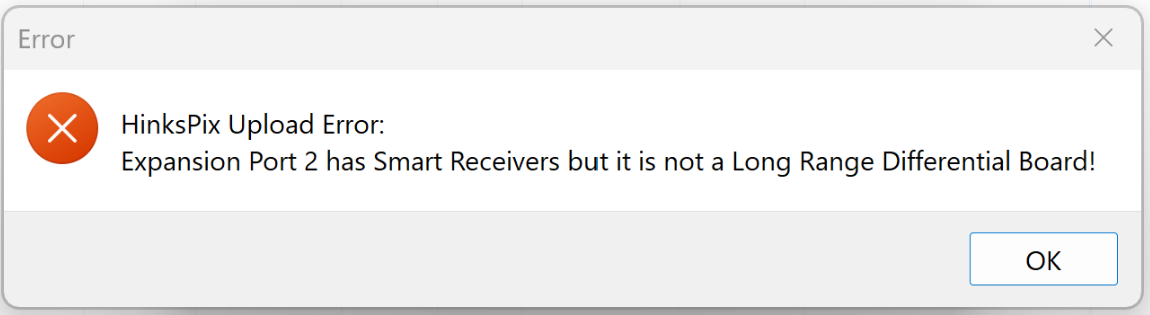
BACKGROUND: The xLights visualizer does not block or restrict you from configuring controller outputs (SPI or long range) that may not be physically present in the actual controller being configured. This is because the controller may not be online during configuration.
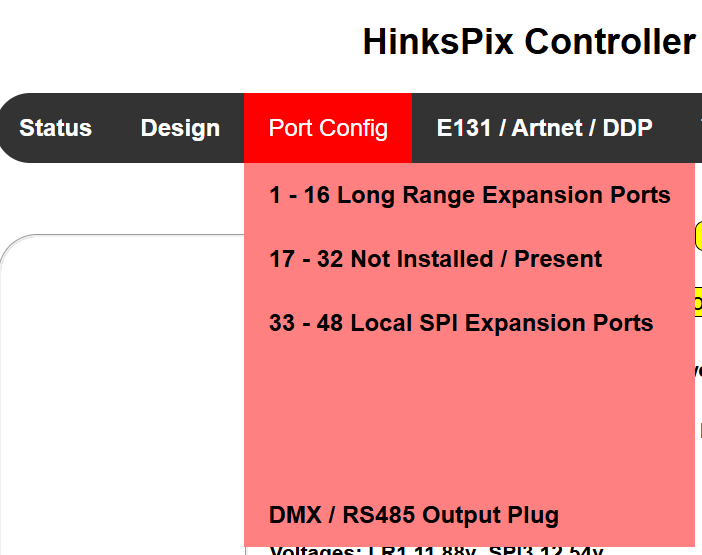
SOLUTION: Confirm the actual ports in your controller and what expansion boards are connected to those ports. For example, below we have logged into the web interface of the HinksPix controller and when we hover our cursor over Port Config, we see:
 asdfa
asdfa
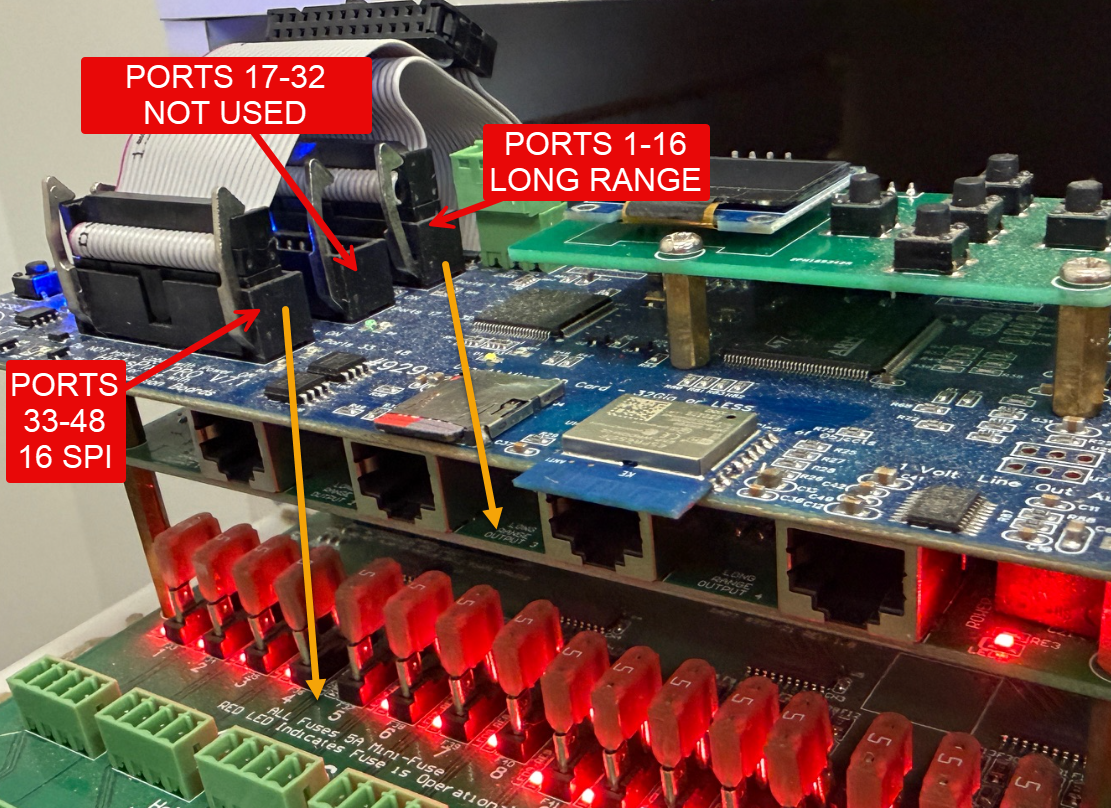
If we look at the actual physical controller it looks like this:
 sd
sd
In the above design, we cannot map props in visualizer to ports 17-32 as those are not actually there and this is why the warning in xLights appears when it attempts to upload the configuration into a port that is not actually present.